Timebox — Focus & Time Management
Thank you for installing
Timebox!
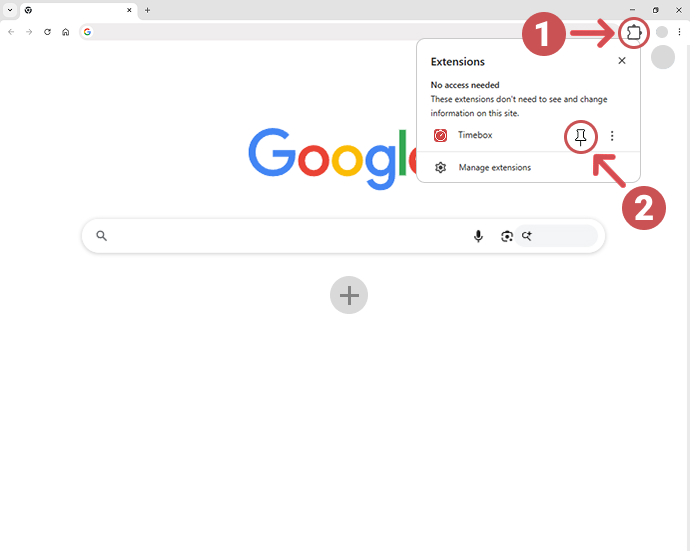
To get started, click the Extensions icon (Step 1) in the top right corner of Chrome, then click the pin icon (Step 2) next to 'Timebox' to pin it to your toolbar:
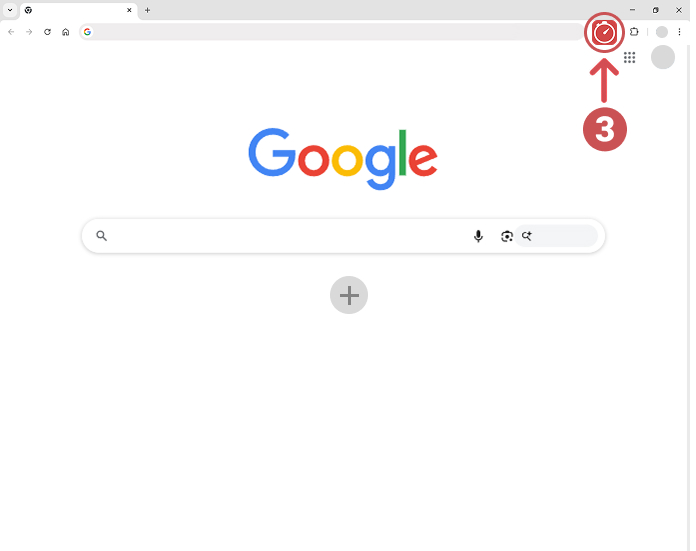
Click the Timebox icon (Step 3) in your toolbar whenever you want to start a focus session:
No account needed. All data stays on your device.